Splitwise Redesigned
Appeal to busy young professionals and boost its app usage.
Role
UX Research Product Strategy UI Design Interaction Design Usability Testing
Tools
Figjam Notion Maze Figma Dovetail
Timeline
5 weeks

Usability Review

Business & User frustrations
When logging expenses, users are slowed by unclear visual hierarchy and feedback, which results in lower engagement and reduced feature adoption.
When viewing expense history, users are presented with raw data rather than insights, which results in reduced engagement and weaker long-term retention.
Competitor Benchmarking
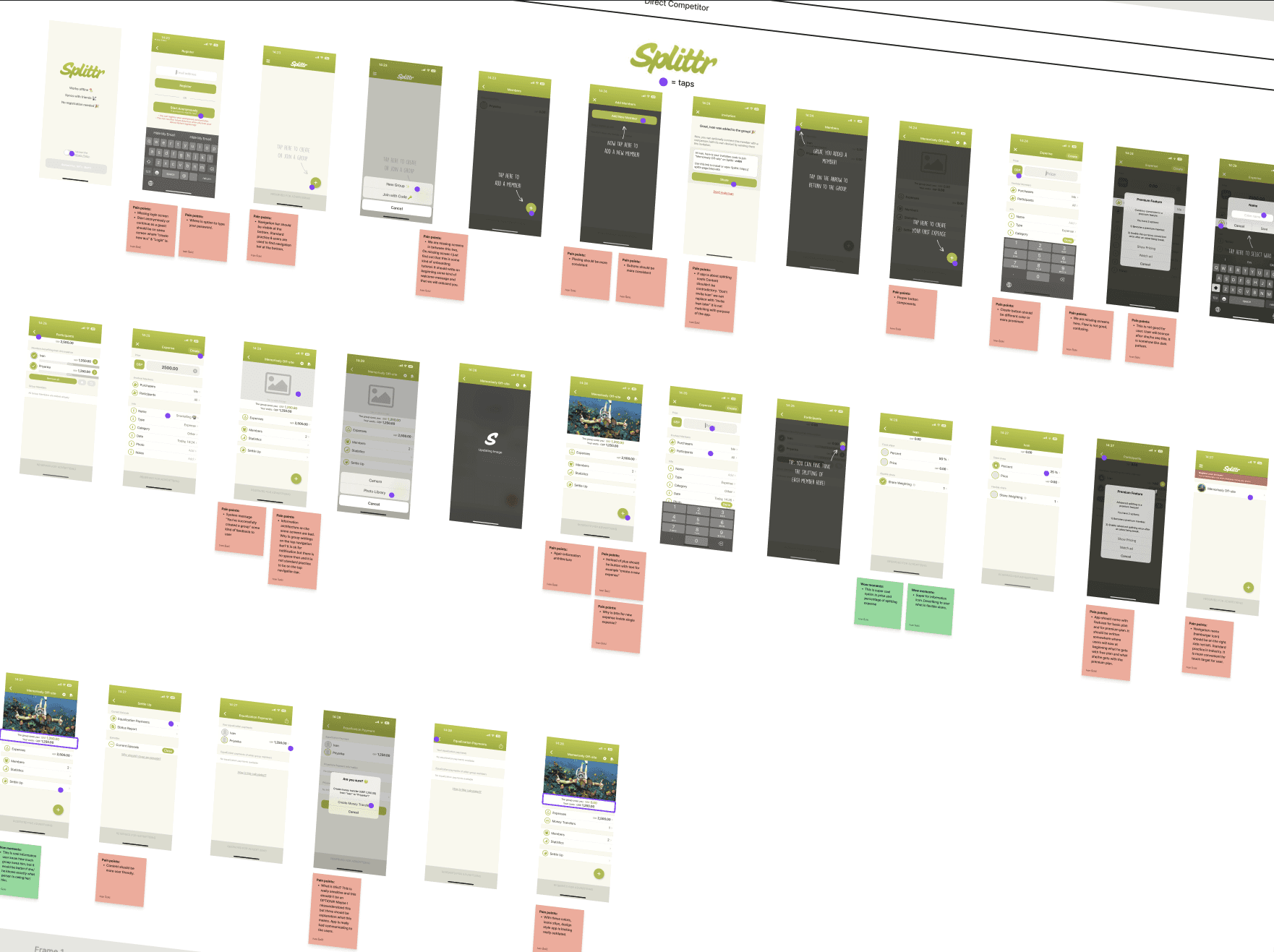
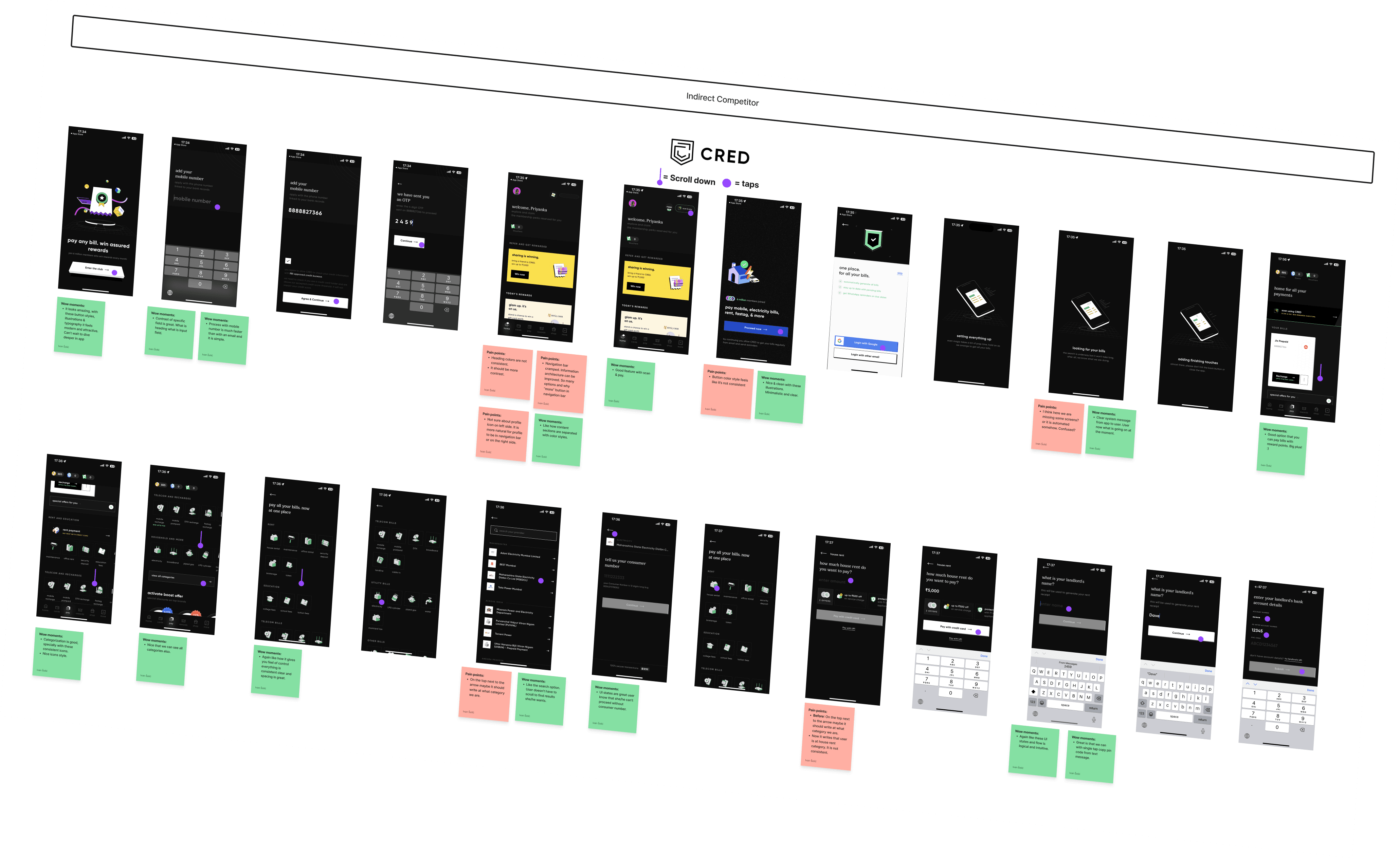
Problem Space
How might we help users log expenses quickly and confidently by reducing friction and uncertainty at key decision points?
Ideation

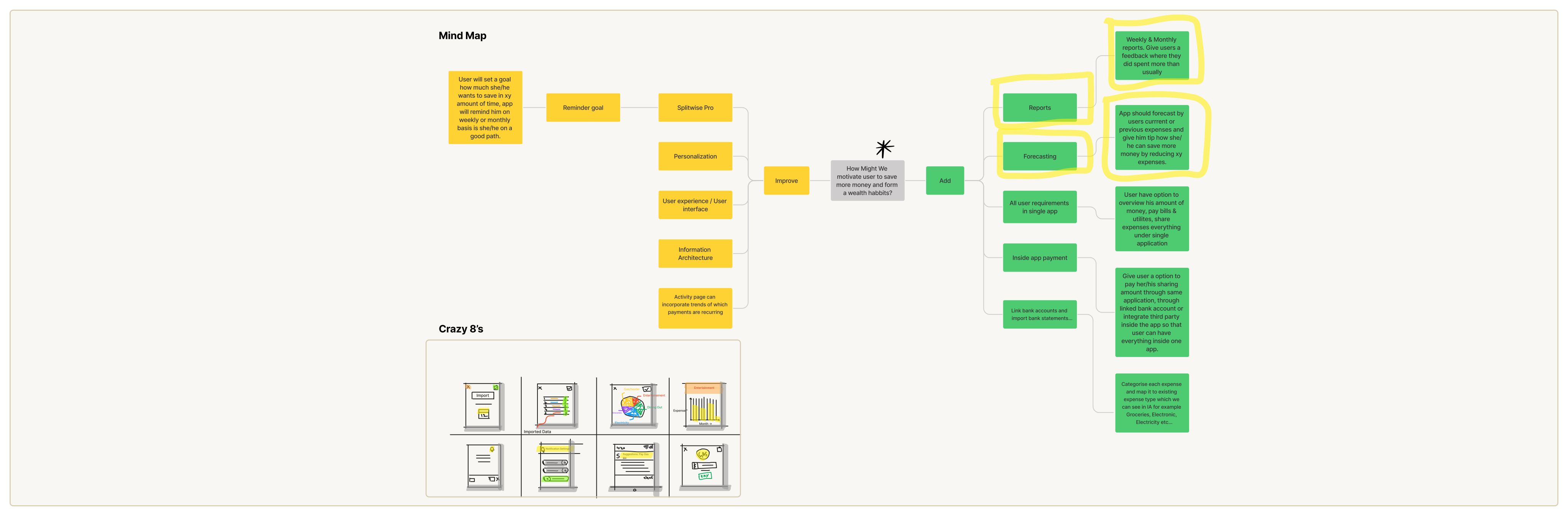
Smart insights through reports & forecasting
Introduce weekly and monthly reports combined with expense forecasting to help users understand spending patterns and make informed saving decisions. By analysing past expenses and highlighting anomalies (for example, spending more than usual in a category), the app can proactively guide users on where they can cut back and how close they are to their savings goals.
Why this matters:
This addition moves the product from being a passive expense tracker to an active financial guide, directly supporting the user’s long-term goal of building better saving habits while increasing engagement and retention for the business.
Expense categorisation clarity and feedback
Improve the expense categorisation experience by making categories easier to understand, visually distinct, and more responsive after selection. Clear confirmation states, better grouping, and smarter defaults (based on past behaviour or imported data) can reduce hesitation and misclicks during categorisation.
Why this matters:
Expense categorisation is a high-frequency action. Improving clarity and feedback here reduces friction, speeds up task completion, and increases user confidence—making expense logging feel effortless rather than tedious.
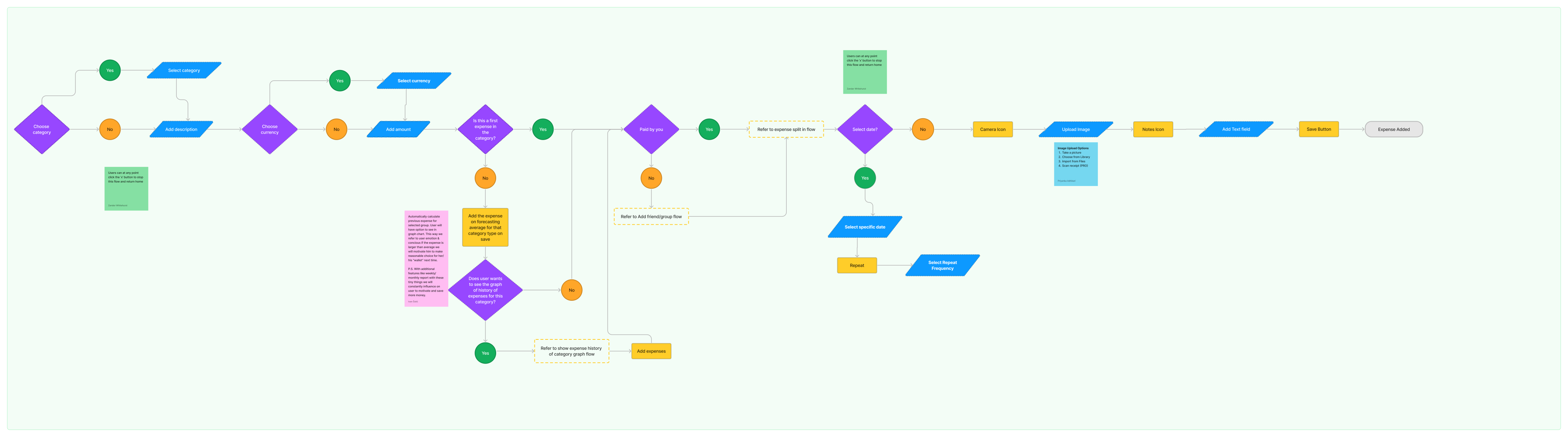
User Flows
Rapid Prototyping
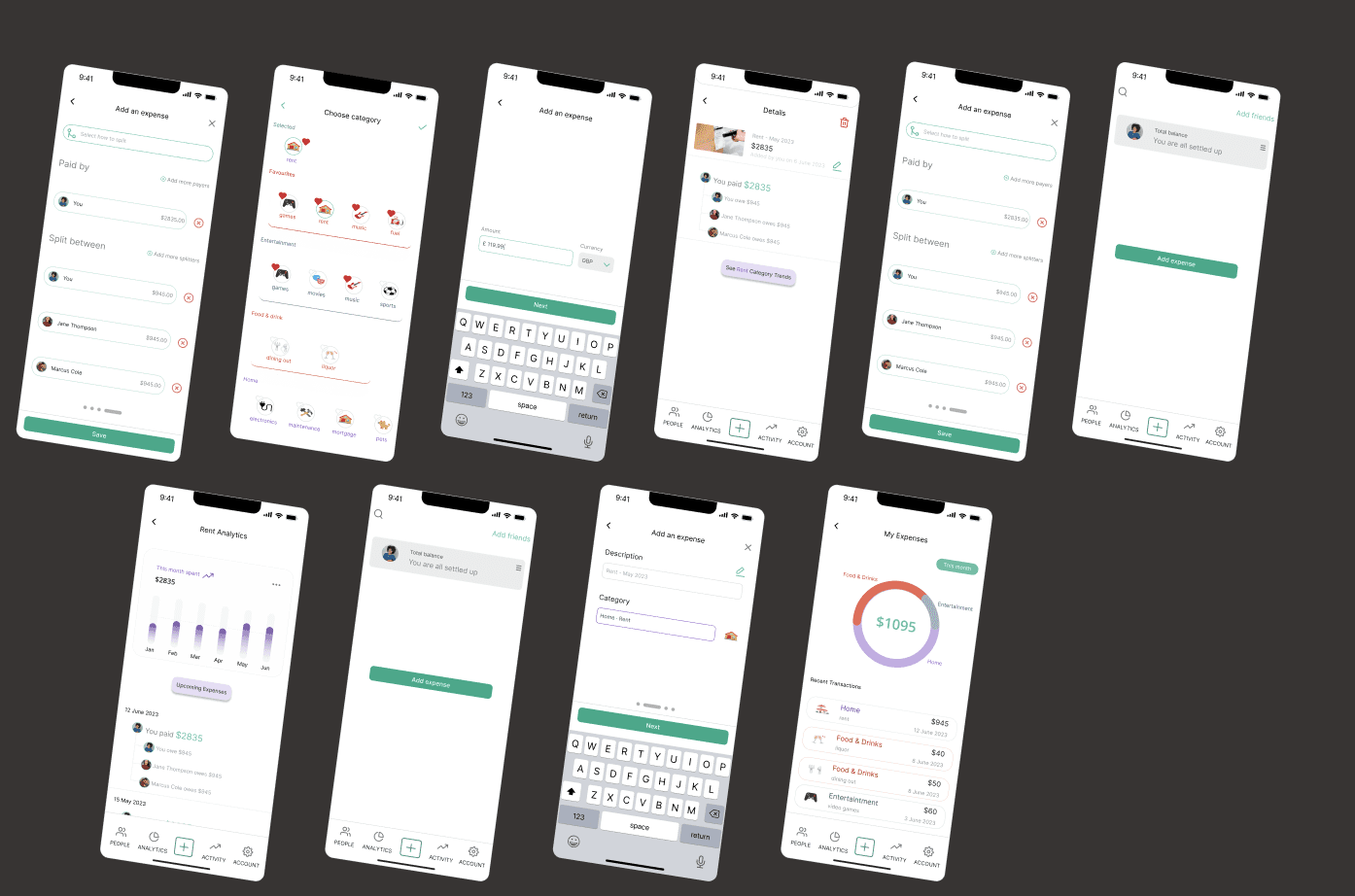
Styles & Components
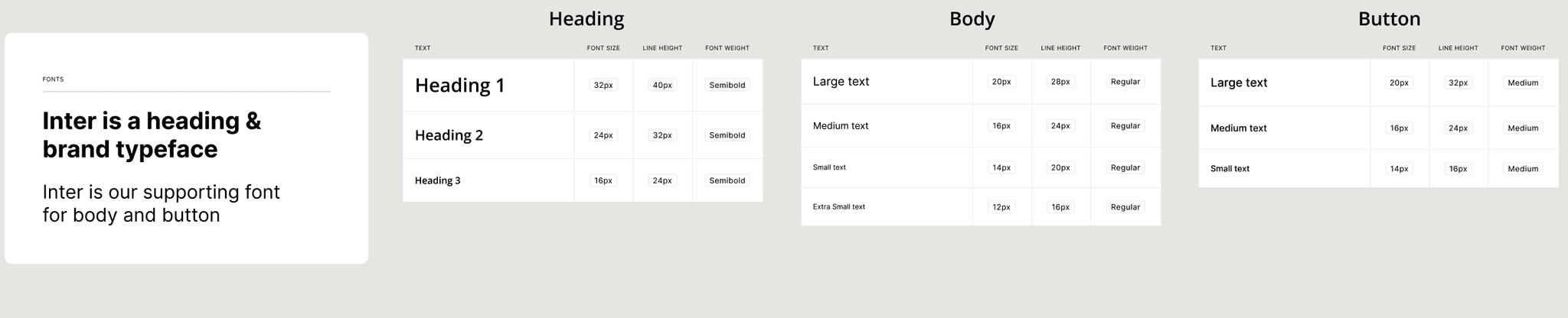
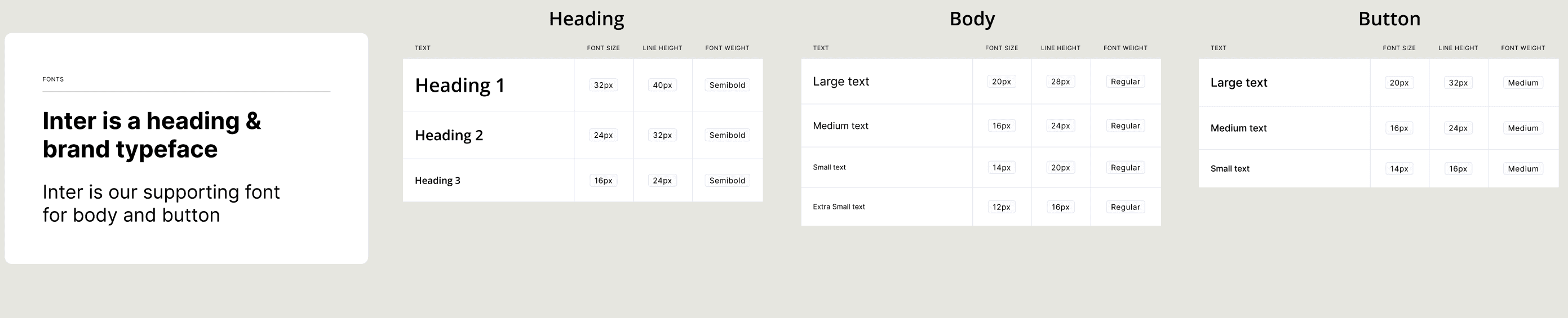
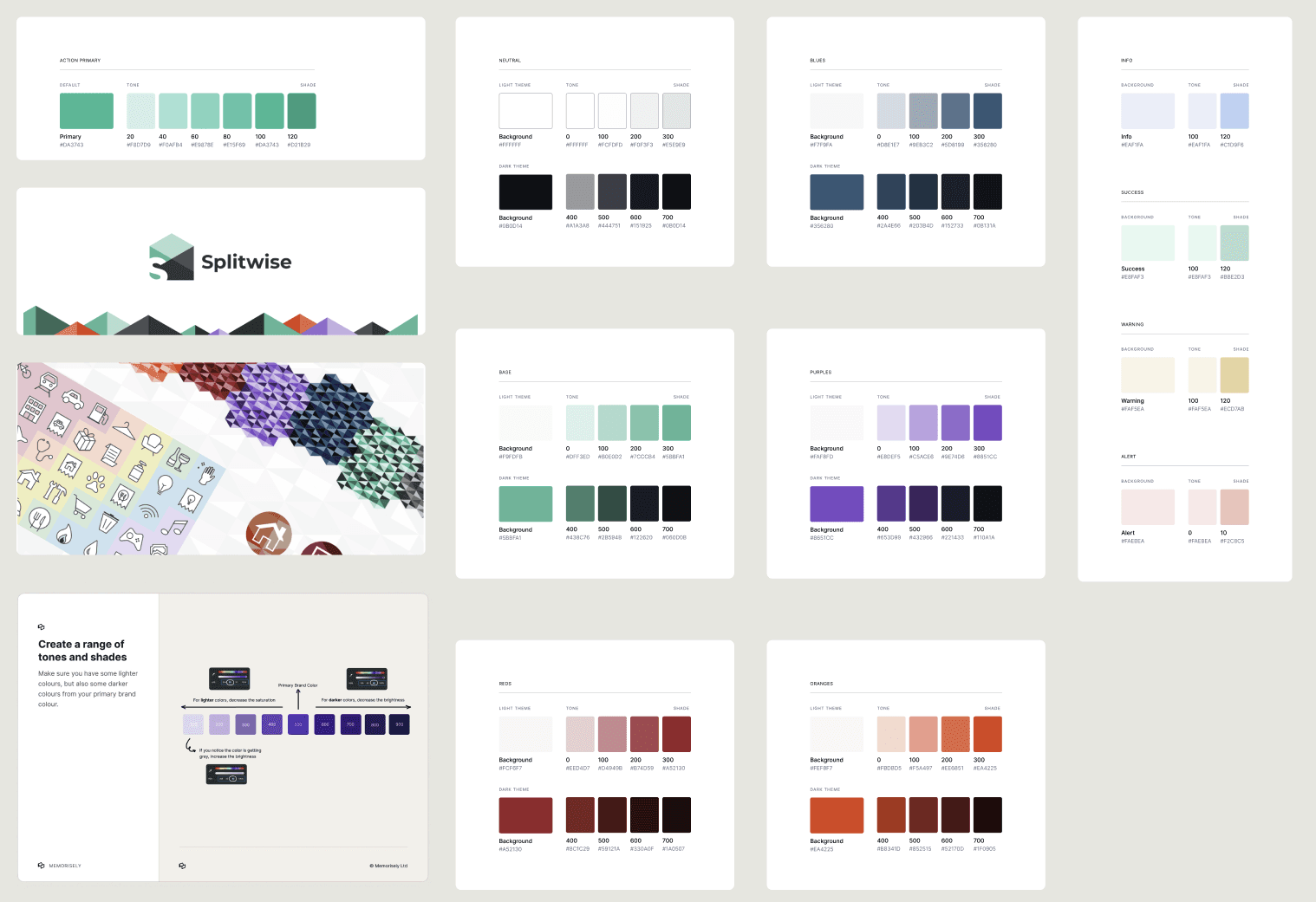
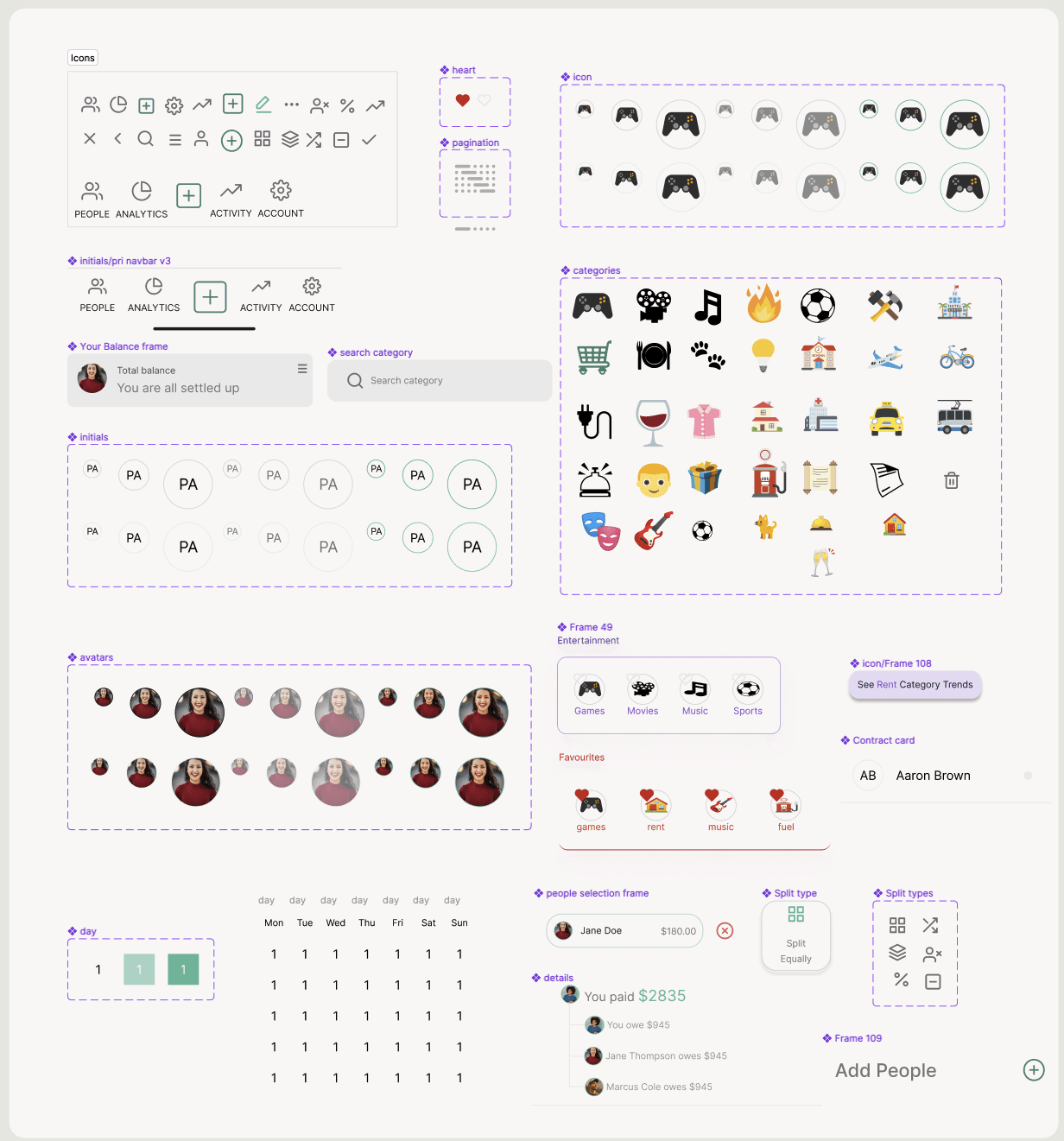
High Fidelity Prototype
Usability Testing
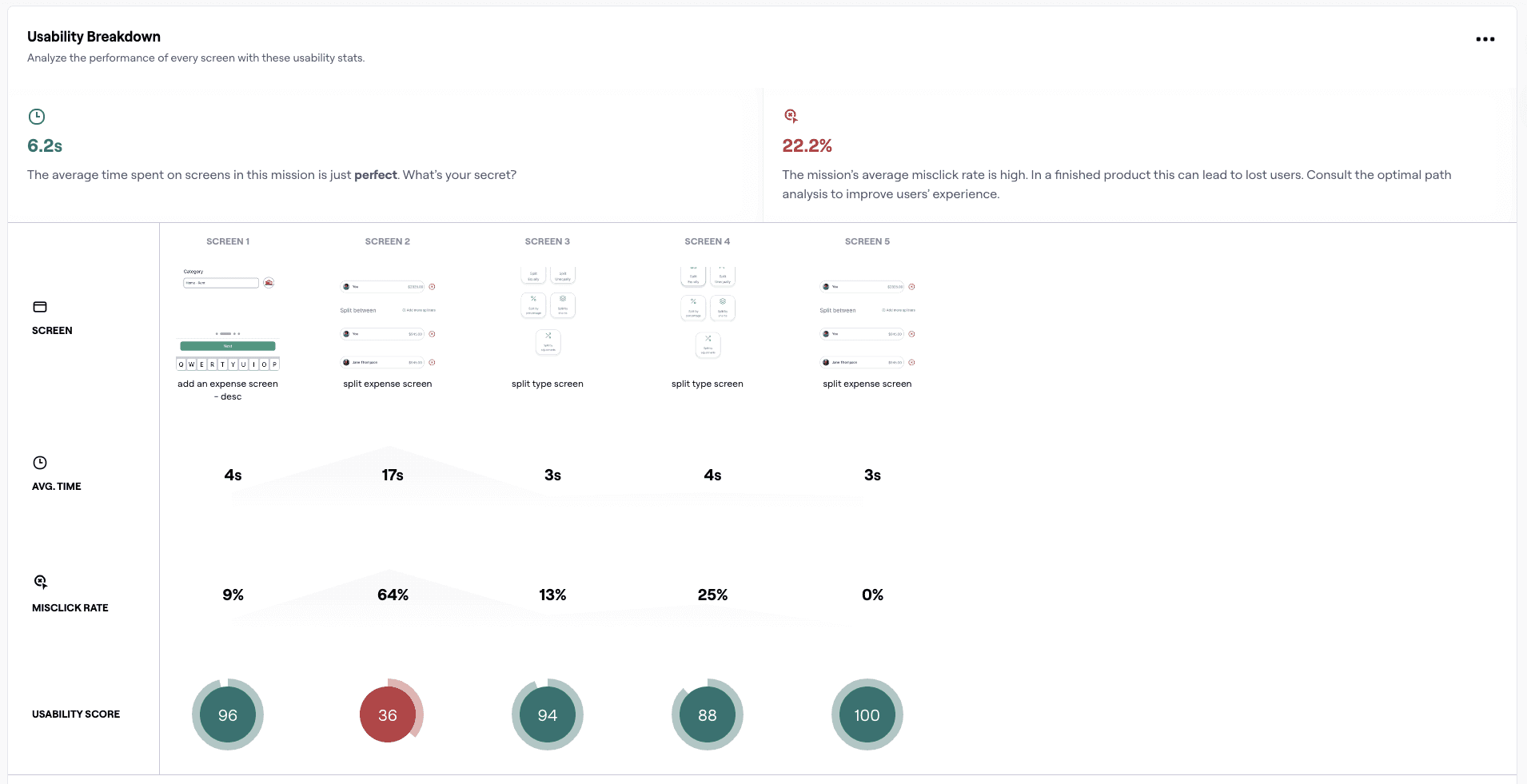
Test outcomes
Three key learnings
Clear visual hierarchy at entry points is critical
The highest misclick rate occurred on the initial “Add Expense” screen, indicating that users struggled to identify the primary action. Strengthening CTA prominence can significantly reduce confusion at the start of the flow.Immediate feedback after selection improves user confidence
Users hesitated after selecting a category, suggesting uncertainty about whether their action was successful. Clear confirmation states can prevent misclicks and speed up completion.Once users understand the flow, efficiency increases sharply
Screens involving amount and description entry showed high usability scores and low time-on-screen, confirming that simple, focused steps support fast and error-free interactions.